How it works See how it works Three ways to use Kajet. Pick one, or watch them go by.
Your school day Grades and homework Study mode
iPhone iPad
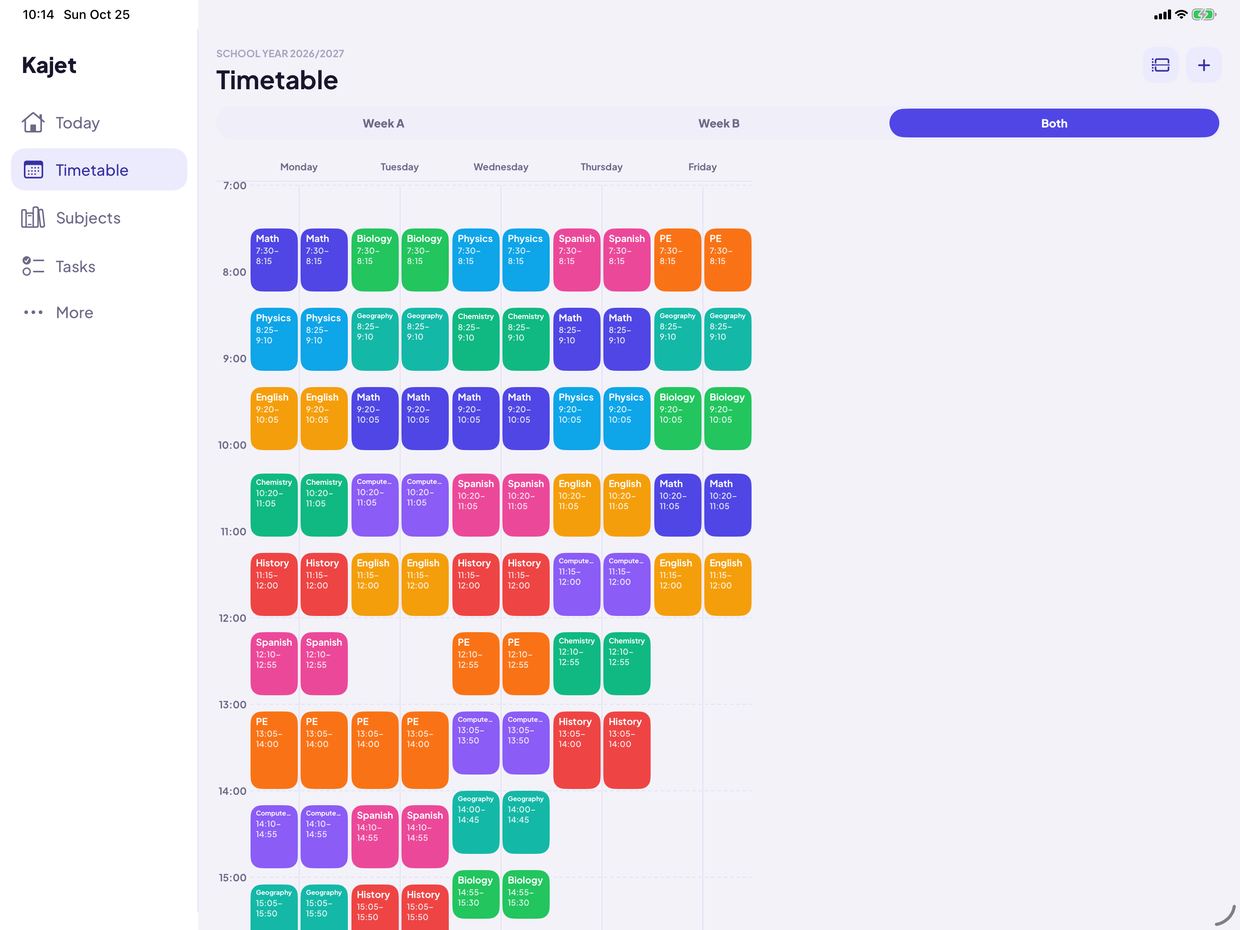
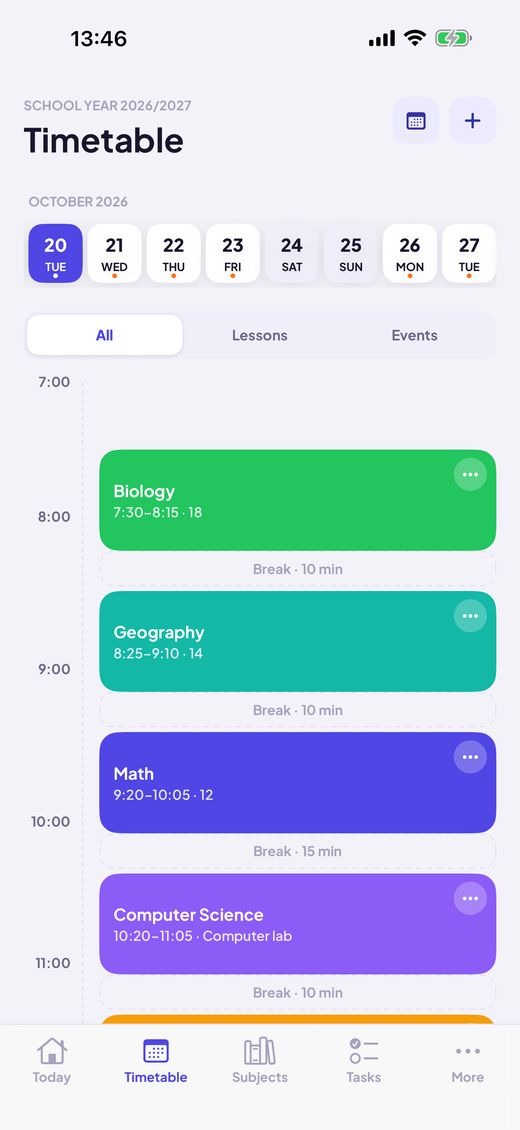
1 Build your timetable Add lessons once, with rooms and A/B weeks. Day and week views.
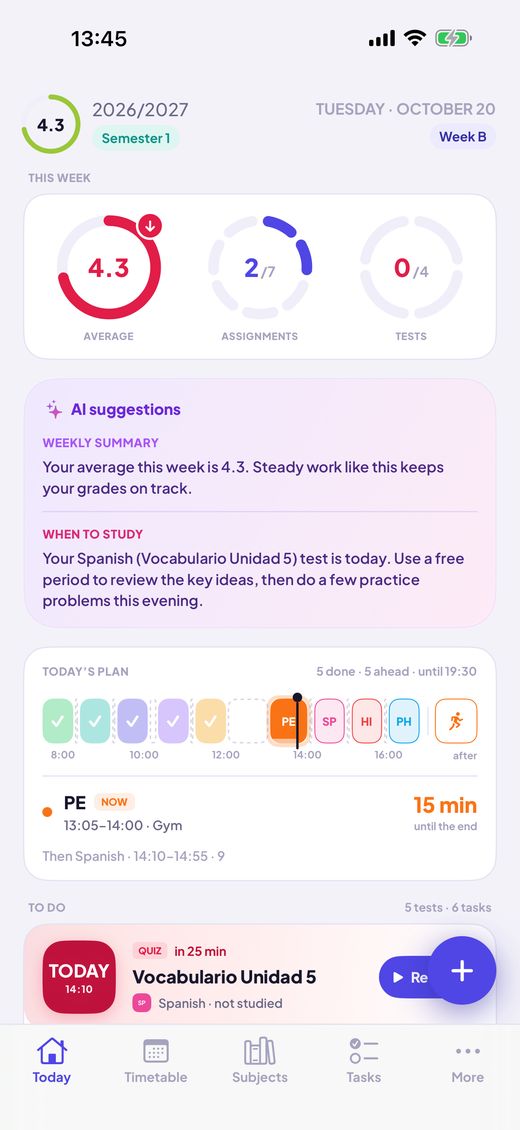
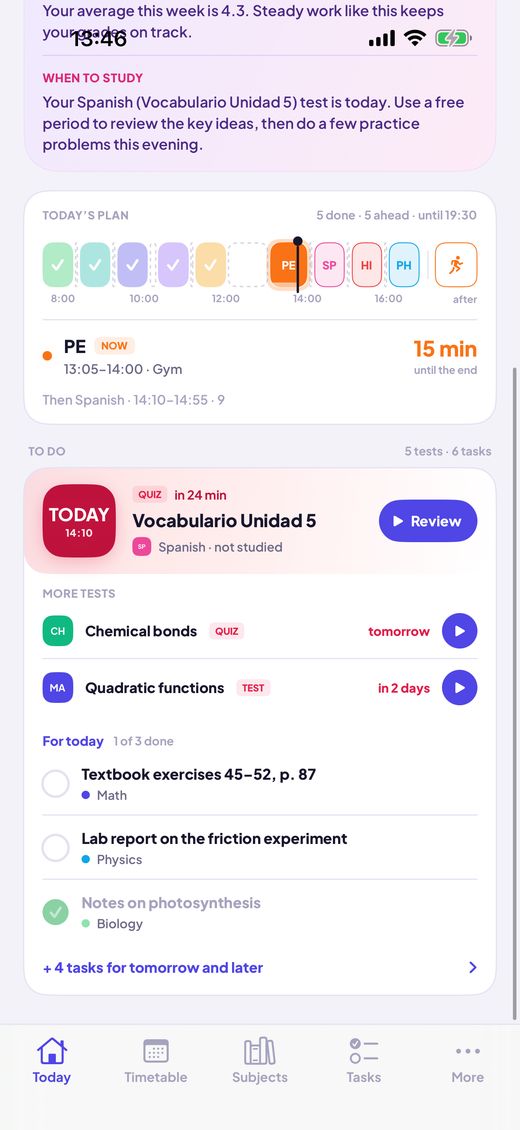
2 Open Today The next lesson, the plan of your day and what is due, on one screen.
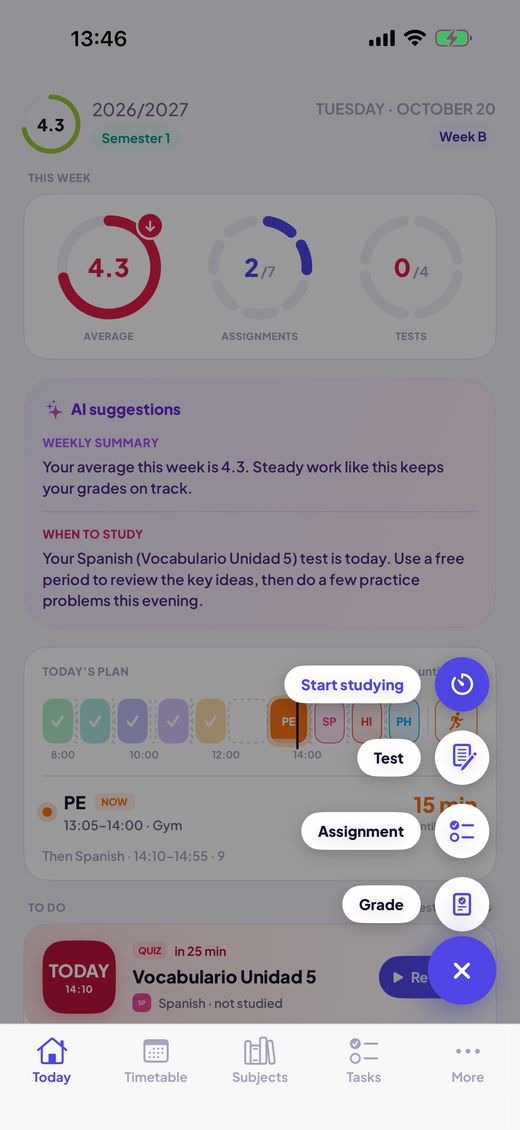
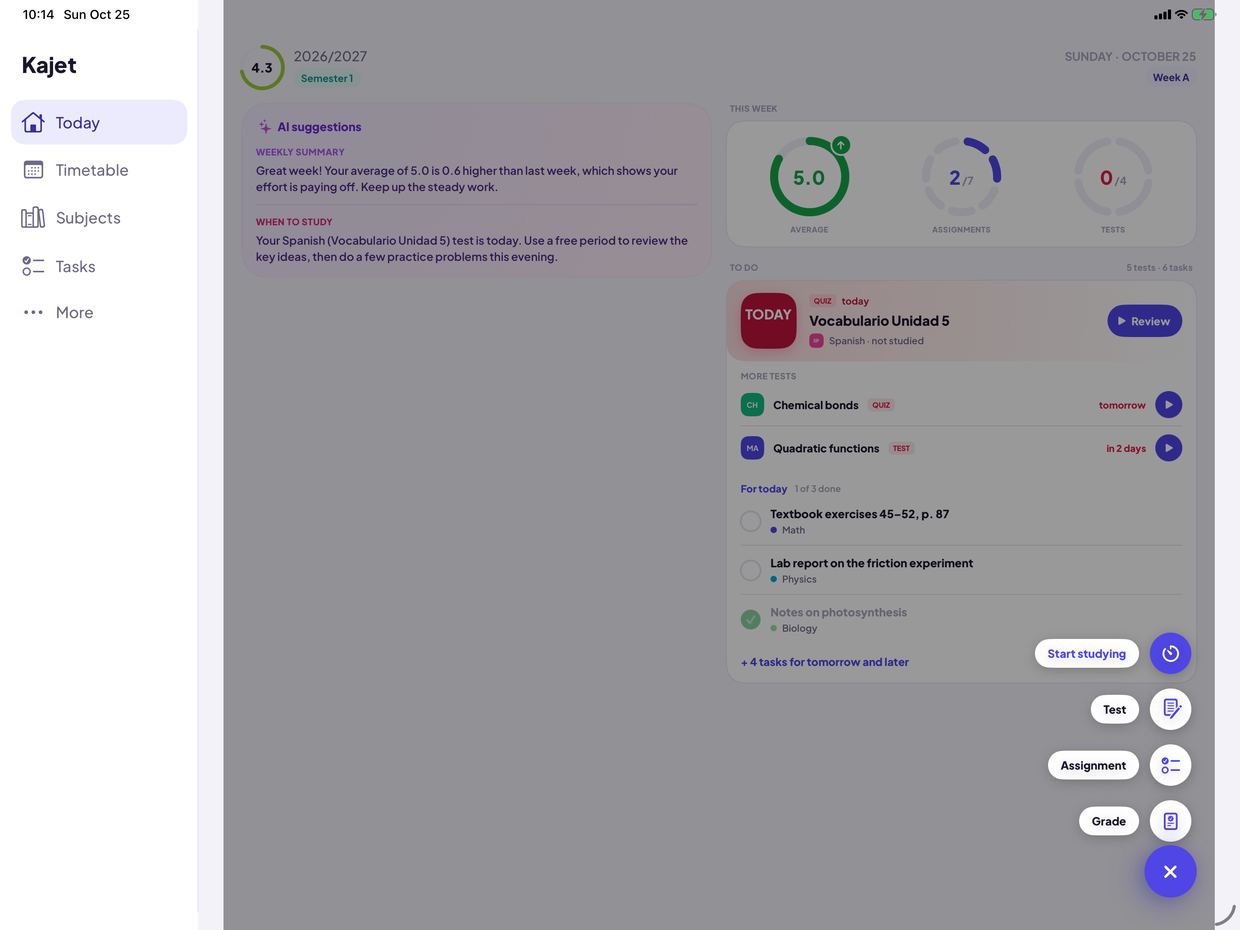
3 Add in a second Tap + for a grade, homework, a test or a study session.
4 Check things off Homework and tests by day. One tap to tick, a reminder when it is due.
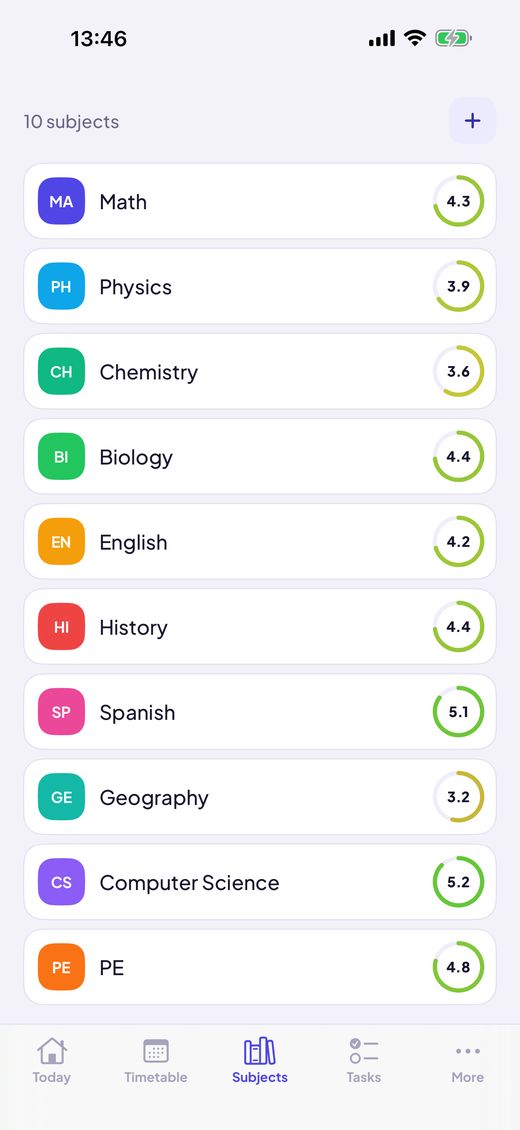
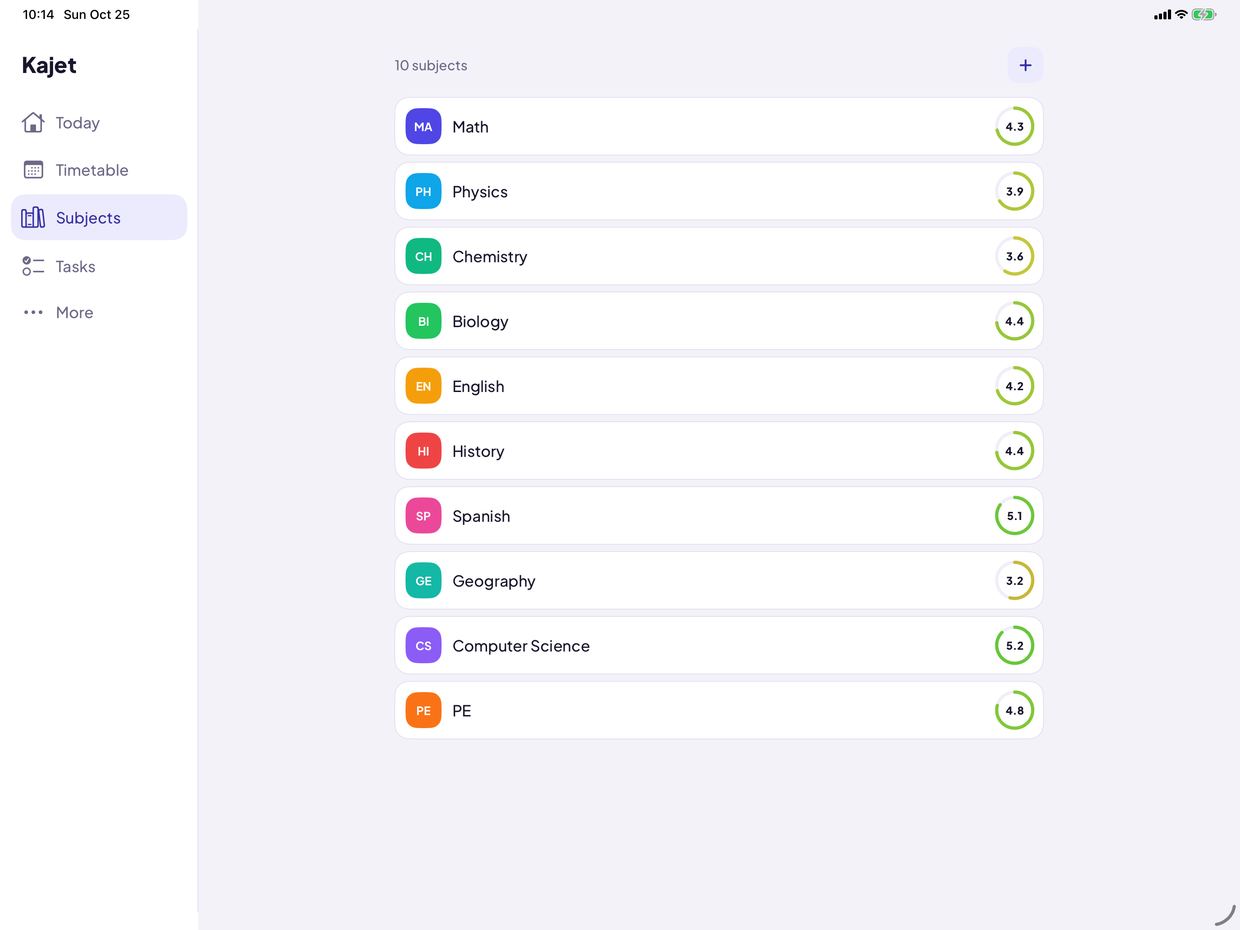
1 Grades and averages Every subject shows its average. Simple or weighted, with your own categories.
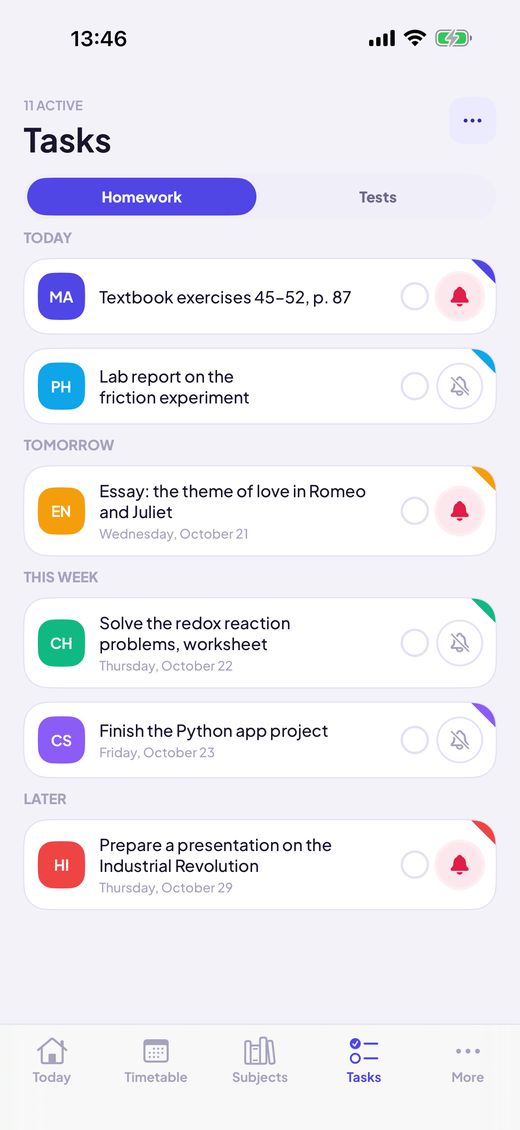
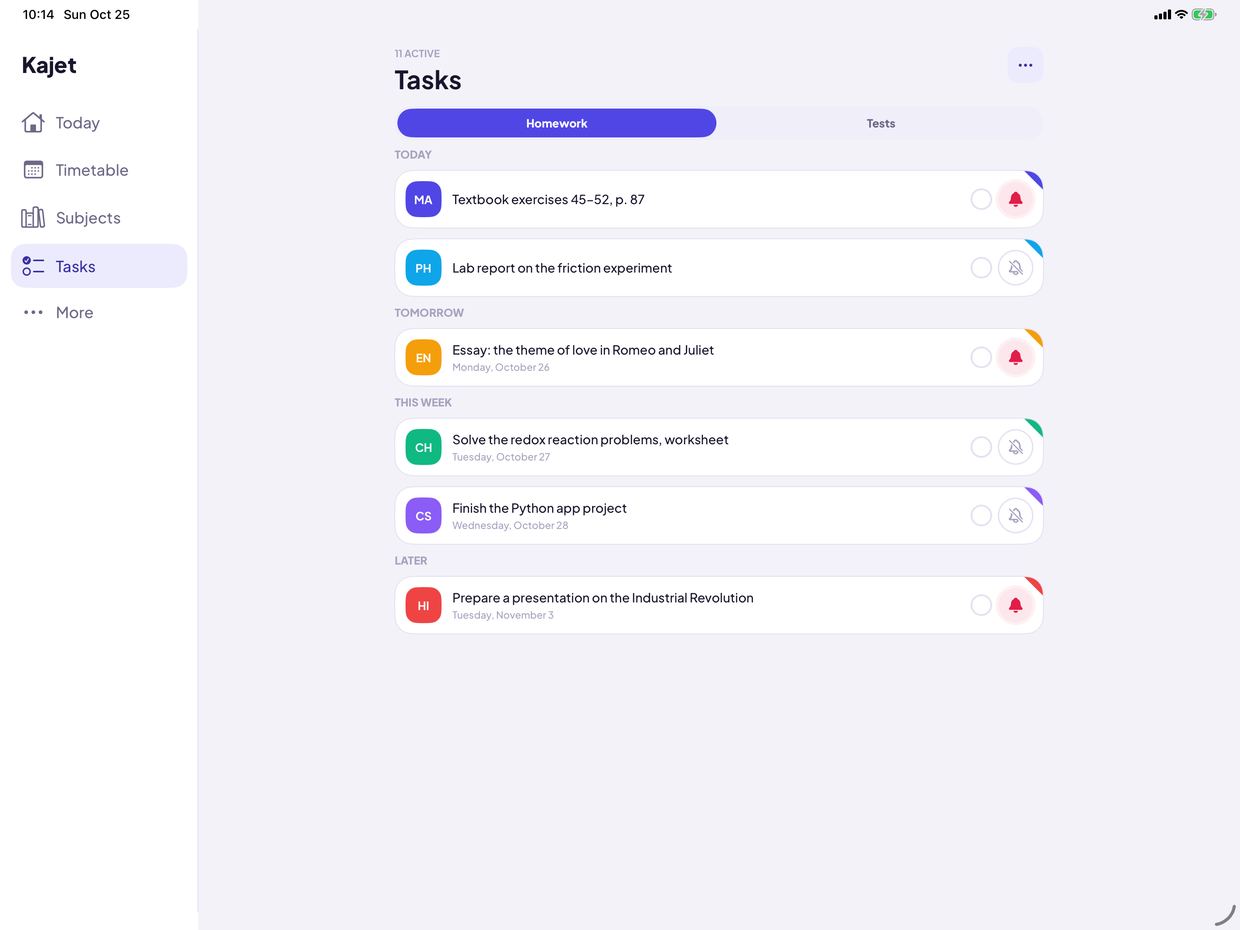
2 Homework Today, tomorrow, this week, later. Swipe to edit, delete or turn it into a grade.
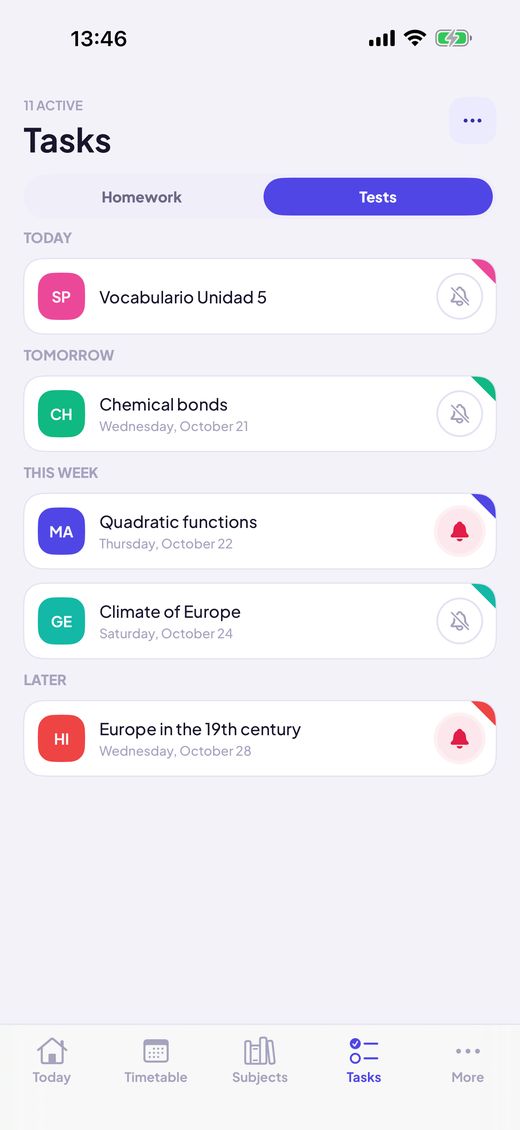
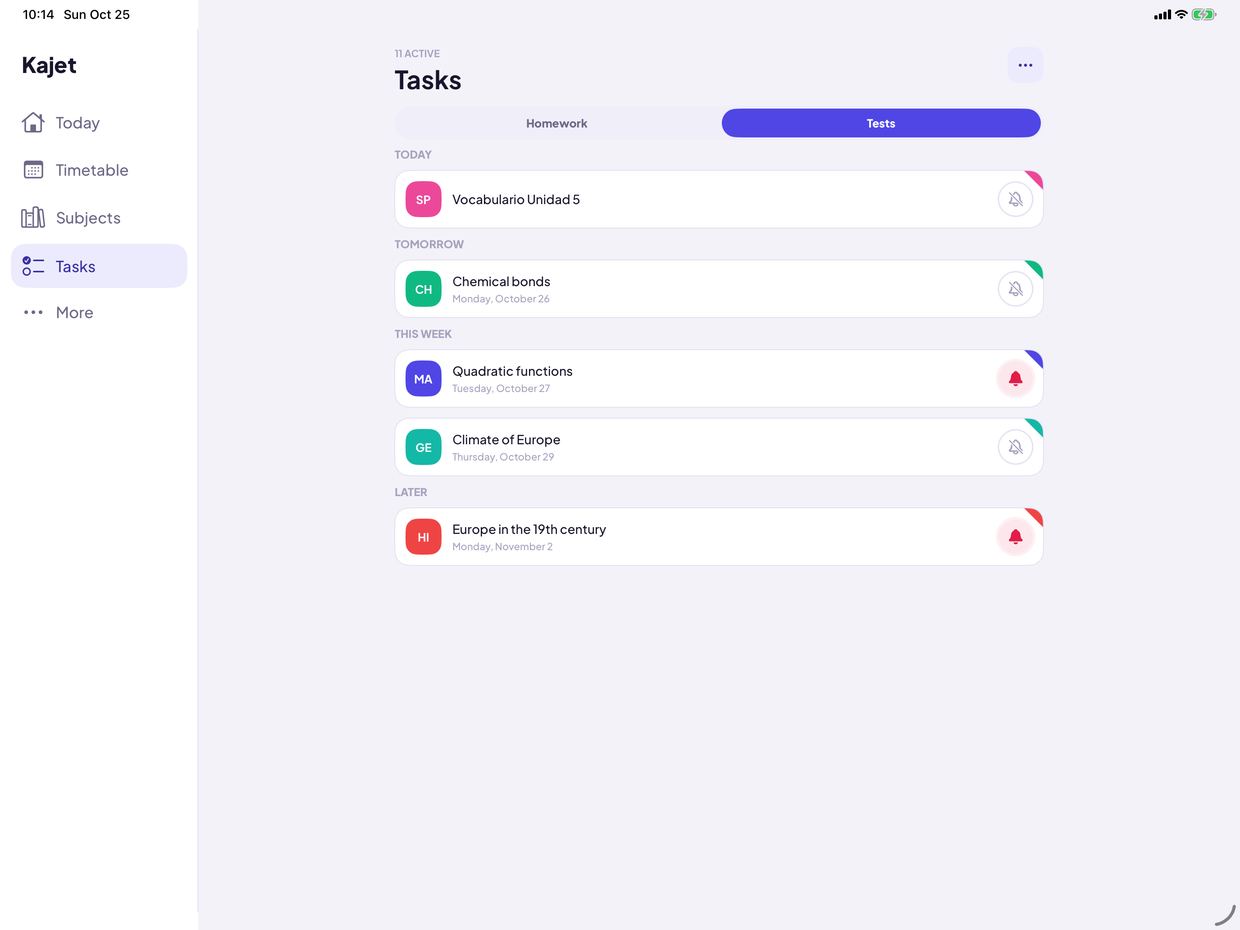
3 Tests Tests and quizzes with a countdown and a reminder the evening before.
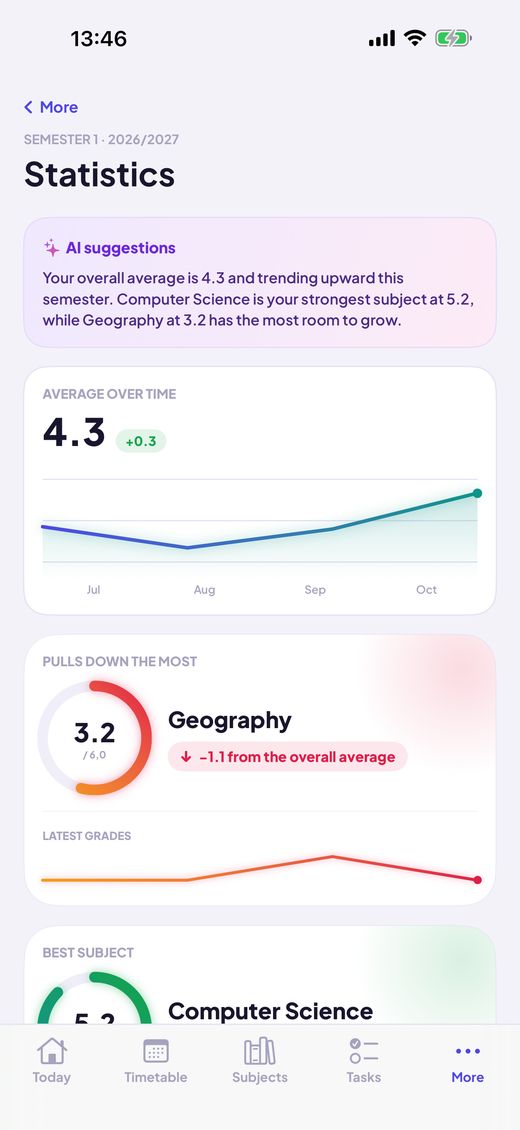
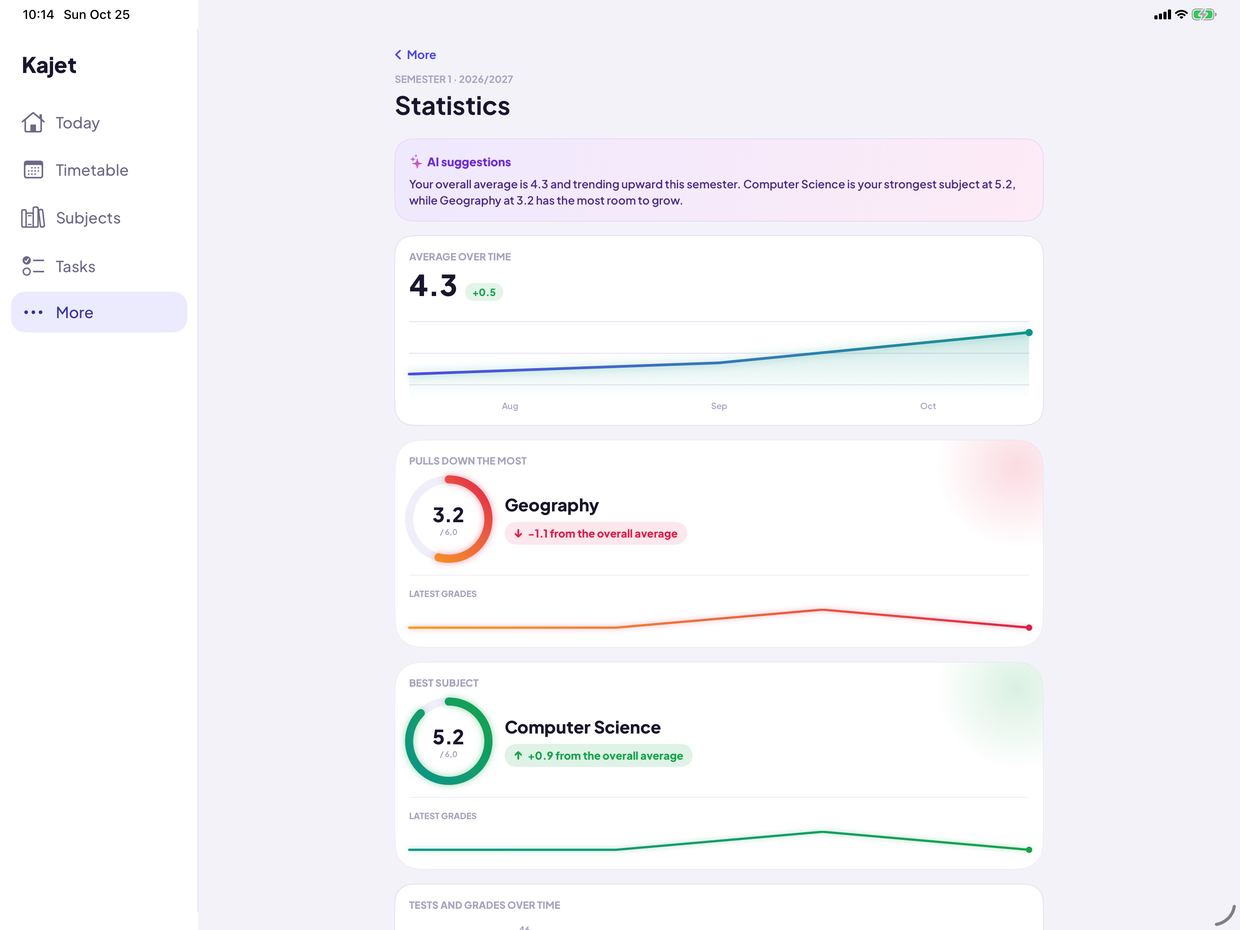
4 Statistics The trend over time, your best subject and what pulls the average down.
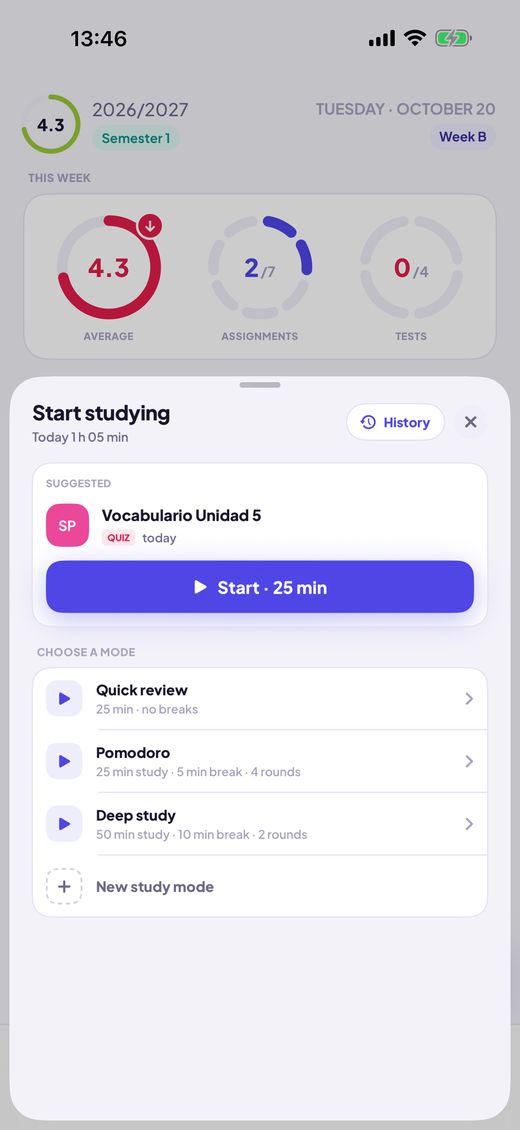
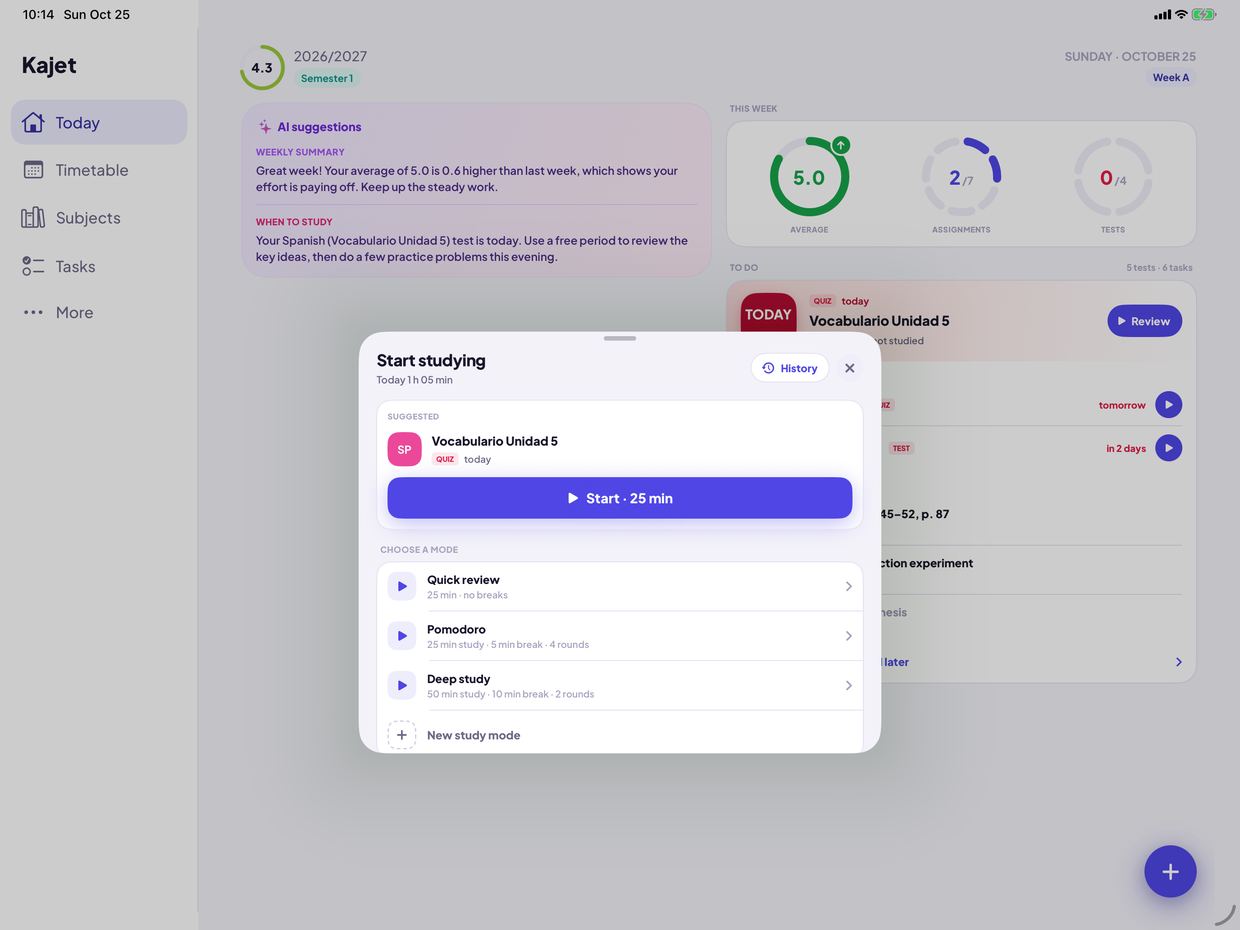
1 Start from + Choose Start studying on Today. Kajet suggests the nearest test.
2 Pick a mode Countdown or Pomodoro, linked to a test or homework. The timer runs on your Lock Screen.
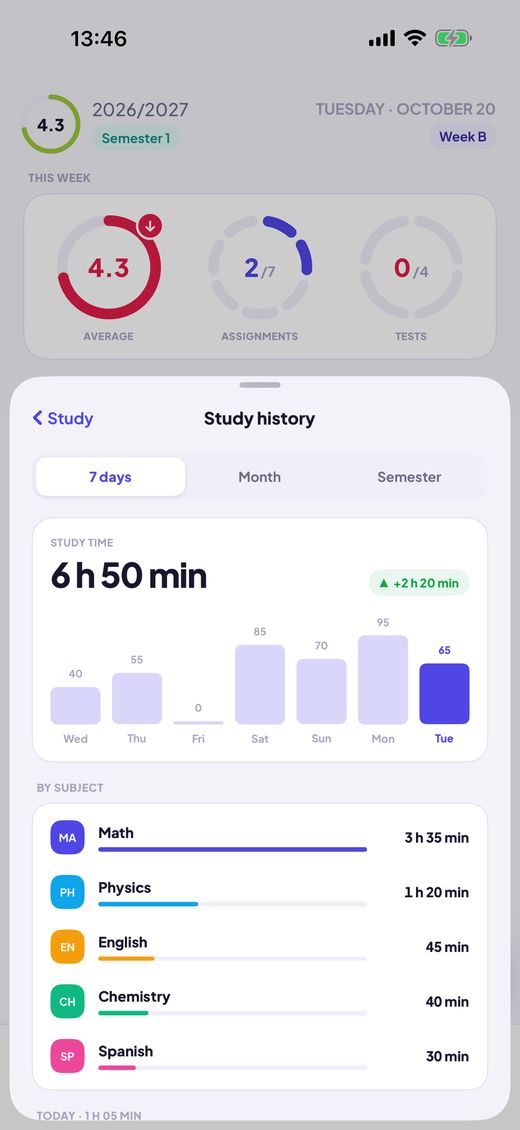
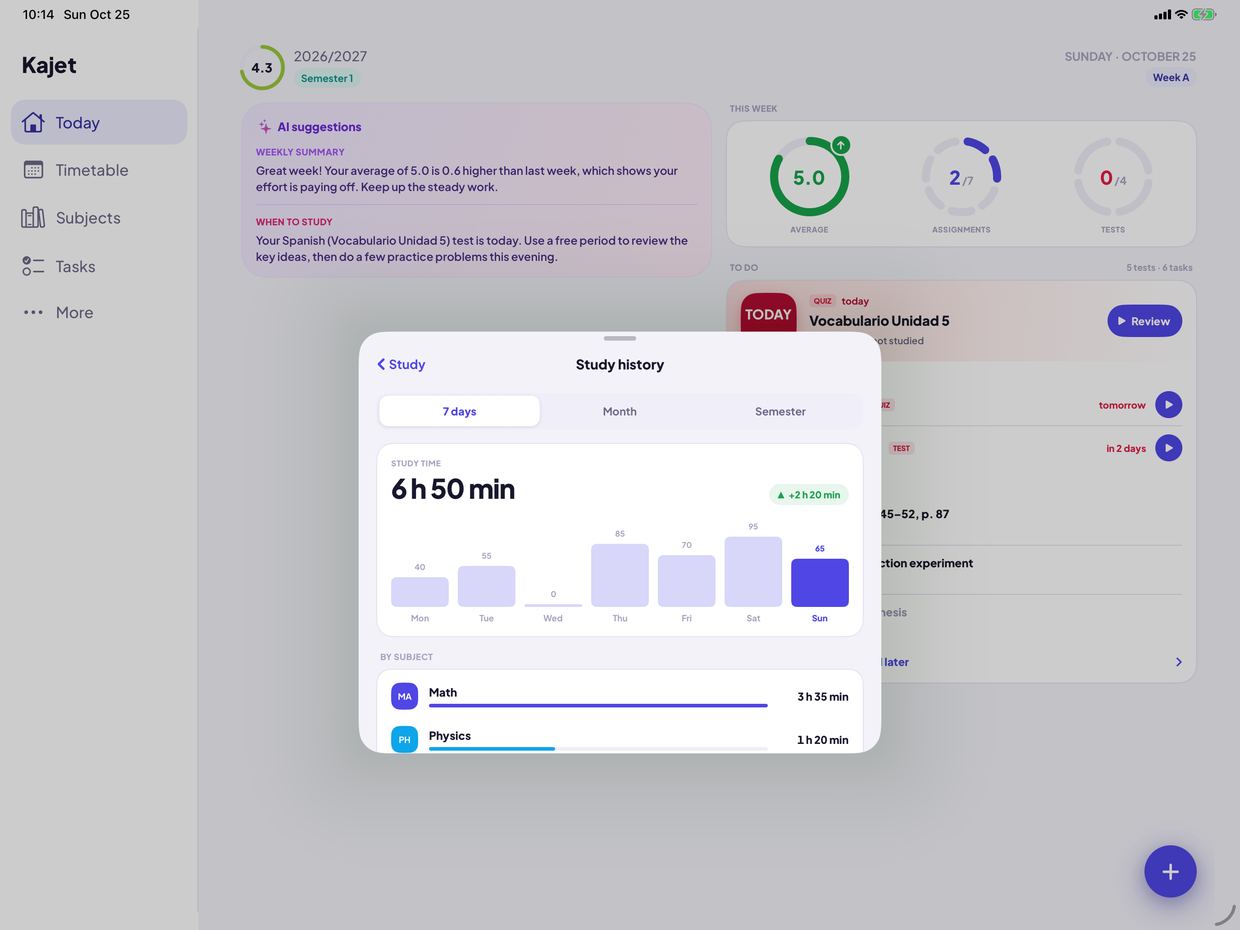
3 See where the time goes History by day, subject and week. Know how much you really study.
Features Everything for school and university, in one app Plan your day Timetable with A/B weeks Day and week views, rooms, times.
How Timetable tab → + → lesson. Pick the day, the hours and week A or B.Lesson changes Cancelled, substituted or moved for one day.
How Open a lesson's menu and mark it cancelled, substituted or moved to another room.After-school events Sport, music, tutoring, with a reminder to leave.
How Timetable tab → + → event. Add the hours and a time to leave.Today at a glance The next lesson, the plan of your day, the week so far and what is due.
How Open Today: your next lesson, the plan of the day and what is due.Grades and averages Simple or weighted average Your own categories, comments and retakes.
How Subjects tab → open a subject → add a grade. Simple or weighted is chosen when you create the subject.Statistics Trend over time, best subject, what pulls you down.
How More → Statistics.ECTS for university Credits, final grades, weighted ECTS average.
How In studies, give each subject its ECTS and add the final grade on the subject's page.Scholarship goal Set a threshold, see the grades you still need.
How Subjects tab → set a goal. The plan shows the grades you still need.Homework and tests Homework and tests Today, tomorrow, this week, later. One tap to check off.
How Tasks tab → ⋯ → add homework or a test. Tick the circle when it is done.Reminders A day or three ahead, in the evening, or when you choose.
How Tap the bell on a task: the evening before, a day or three days ahead, or a time you pick.Turn homework into a grade Swipe a task or a test and it becomes a grade in one step.
How Swipe a task or a test to the right and tap “Grade”. It becomes a grade and leaves the list.Quick add A grade, homework, a test or a study session from one + button.
How On Today tap + for a grade, homework, a test or a study session.Study Study mode Countdown or Pomodoro, linked to a test.
How Today → + → Start studying. Choose countdown or Pomodoro and link a test.Your own study modes Set the focus time, the break and the rounds, or start from a ready mode.
How More → Study modes → new mode. Set the focus time, the break and the rounds.Study history 7 days, a month or a semester, by subject.
How More → Study history. Switch between 7 days, a month and a semester.Timer on the Lock Screen Pause and finish a study session without opening the app.
How Start a session and lock your iPhone: Pause and Finish are on the Lock Screen.Everywhere you are Widget and Live Activity Next lesson on the Home Screen and Lock Screen.
How Press and hold the Home Screen, tap + and pick Kajet.Siri and Shortcuts Ask for your next lesson or add a grade by voice.
How Ask Siri for your next lesson, or find Kajet in the Shortcuts app.AI tips Weekly summary and when to study. Only on your iPhone.
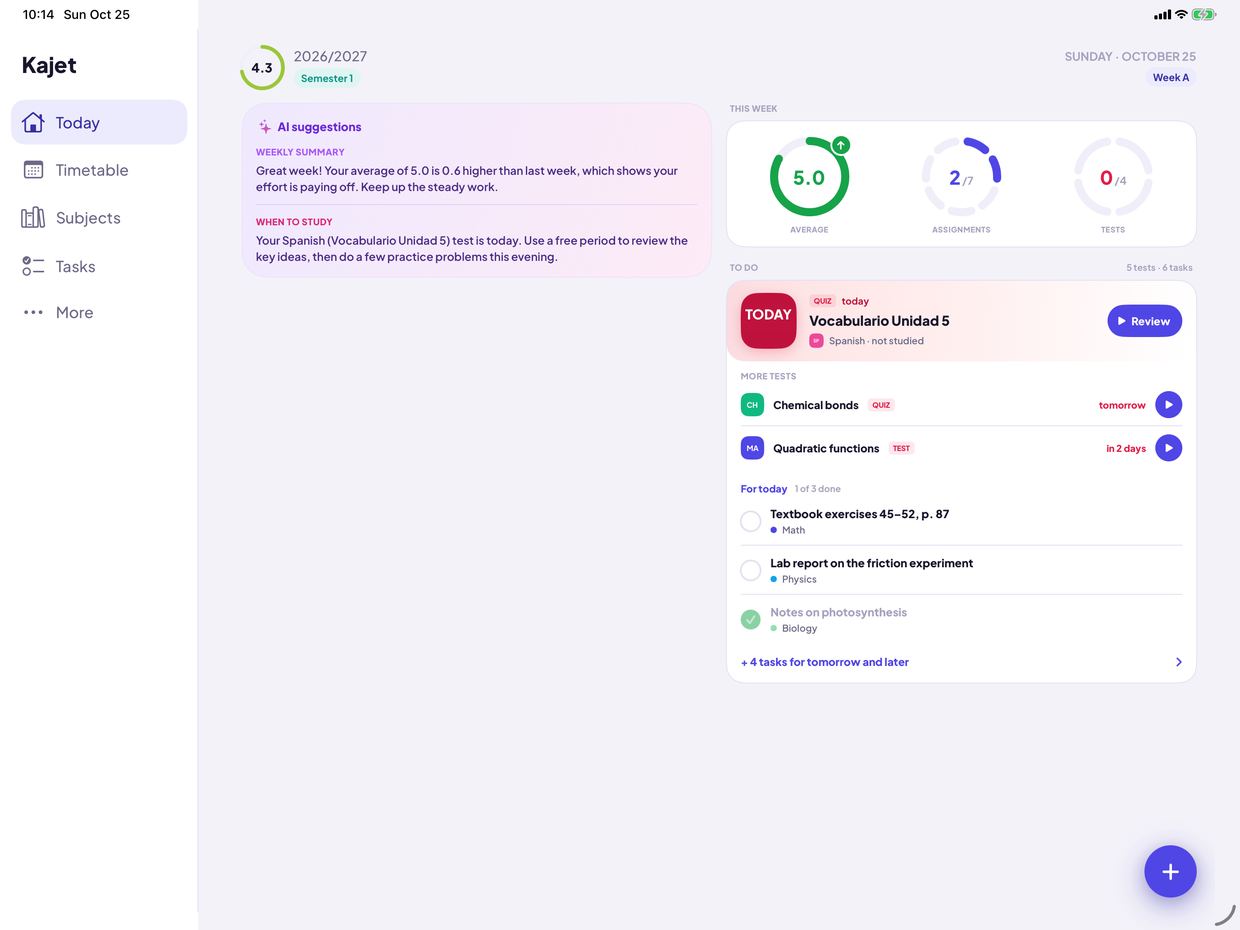
How More → AI suggestions. Off by default; needs iOS 26 and Apple Intelligence.Made for iPad A sidebar, two columns on Today and the timetable as a week.
How Install Kajet on your iPad. The sidebar, two columns and the week view are there from the start.Made for you Semesters and school years Start a new one by copying the last.
How More → See all school years → add a semester, and copy subjects and lessons from the last one.Primary, secondary, university Grading, averages and labels follow your stage.
How Choose primary school, secondary school or studies when you first open the app.13 languages Follows your iPhone's language.
How Follows your device's language. To change it: Settings → Kajet → Language.Light and dark Follows the system, or stays as you choose.
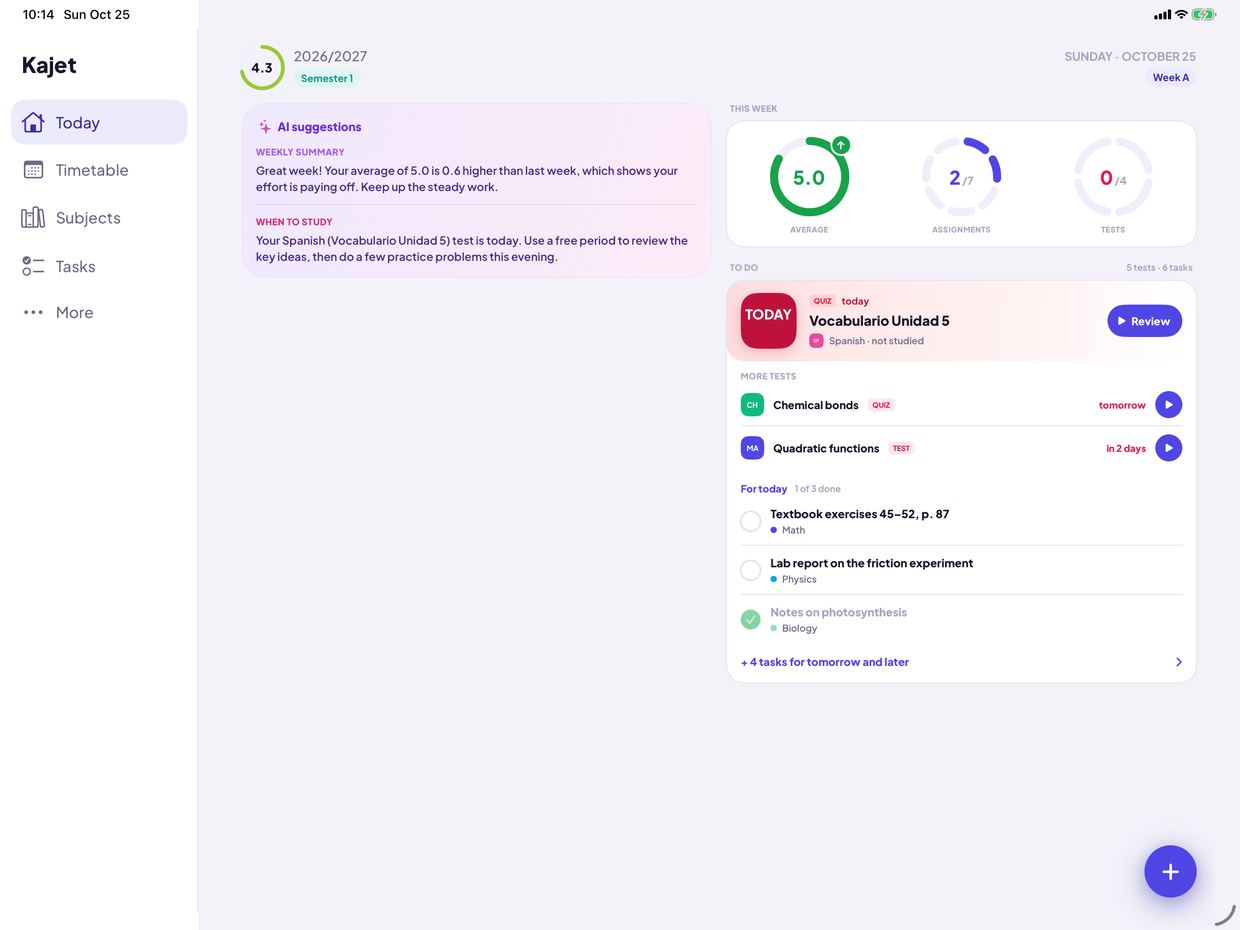
How More → Appearance: light, dark or like the system.iPad Now on iPad too Kajet uses the whole screen: a sidebar for moving around, Today in two columns and the timetable as a week.
A sidebar replaces the tab bar Today in two columns: the day on one side, the week and the to-do list on the other The timetable opens as a week, in every orientation Speaks your language The app, the widget, Siri and Shortcuts come in 13 languages. Kajet follows your device's language.
Made with the Polish school and university system in mind (grades 1–6, the 2.0–5.0 university scale, ECTS), but usable anywhere. For iPhone and iPad, iOS 17 or later; the AI tips need iOS 26 and Apple Intelligence.